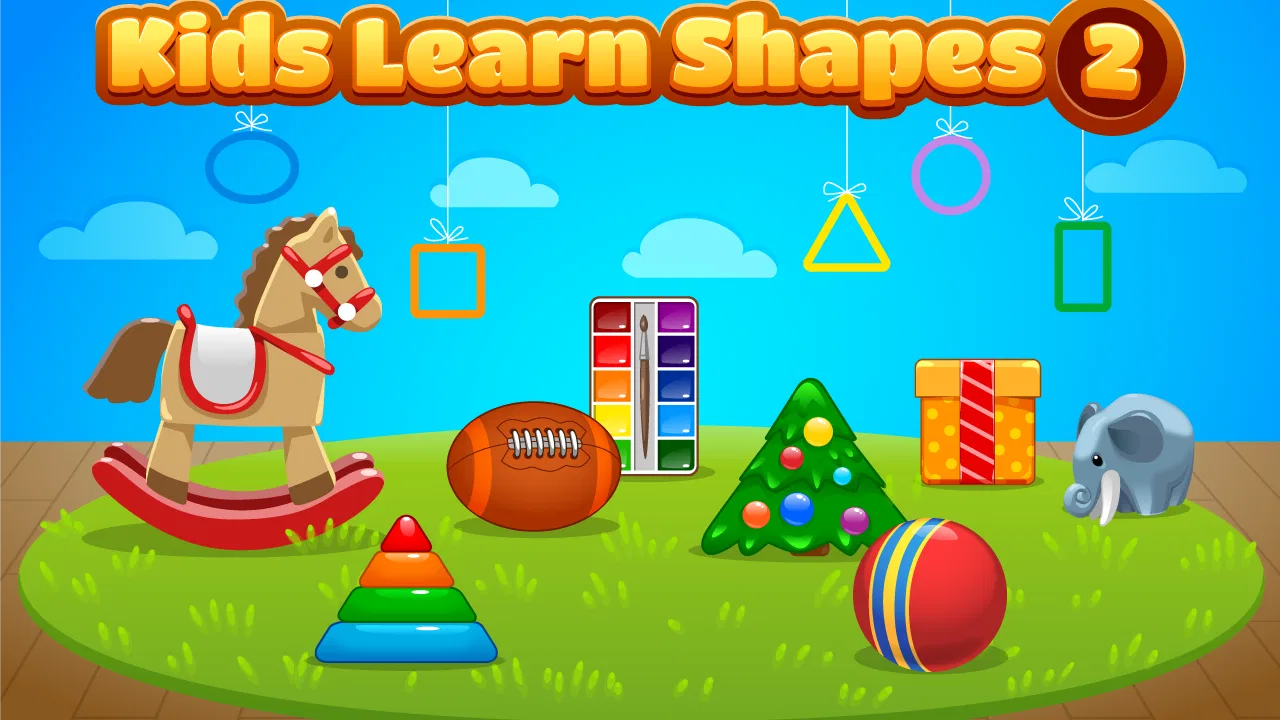
Kids Learn Shapes 2
- 4.3
- Rating
- 10.00K
- Installs
- $1.99
- Price
 Analysis by App-foxy
Kids Learn Shapes 2 is a small educational game built around a very clear idea: helping young children become more comfortable with common shapes through play. I found its strongest quality in that narrow focus. It does not try to become a complete preschool curriculum, and that makes it easier to use when a child needs a short, simple activity rather than a large collection of lessons. Developed by Intellijoy Educational Games for Kids, it belongs to the educational games category and is aimed at everyone, with a child-friendly presentation that keeps the subject approachable.
The game is available for $1.99, which places it in the kind of purchase I would consider for a specific learning need rather than an impulse download. Its average rating is 4.3 from around thirty-five ratings, and it has received five written reviews. More importantly for practical use, it has passed ten thousand installs, so it is not an unknown experiment despite its compact scope. I would recommend it most to parents, preschool teachers, or caregivers who want a focused shapes activity that can fit into a short routine.
How the first learning goals shape the experience
The early goal is easy for a child to understand: look at a shape, recognize its visual form, and connect that form with the correct idea. That simplicity matters. A young learner can become discouraged when an educational game introduces too many rules before the basic concept is familiar. Here, the subject itself gives the activity a natural starting point. Children can concentrate on noticing differences between shapes instead of trying to remember a complicated game system.
You May Also Like

 Blood Strike: 2.5 Anniversary
Blood Strike’s Loadouts Turn Every Drop Into a Tactical Gamble
A close look at Blood Strike’s custom loadouts: how fast access to signature weapons reshapes its battle royale rhythm, rewards preparation, and narrows the gap between fights.

 Pandora - Music & Podcasts
Pandora’s Music Is Easy to Start, but Harder to Recover
Pandora’s strength is its low-effort path from a seed to a station. Its weak spot is how much confidence it asks you to place in connection, setup, and quiet recovery.

 8 Ball Pool
 Is Built on Rivalries, Rematches, and Routine
A close look at the rivalries, rematches, shared routines, and unanswered safety questions that turn a quick pool match into a persistent mobile community.

 Samsung Music
’s Quiet Strength Is Playing What You Already Own
Its reach comes less from spectacle than from dependable access to a personal library. That simplicity is both the app’s strongest retention engine and its ceiling.

 AccuWeather: Weather Radar
AccuWeather Review: A Quick, Clear Forecast for Everyday Decisions
For everyday plans, the best forecast is the one you can understand quickly. AccuWeather makes rain timing, radar, and local conditions easy to act on, with a few trade-offs.

 Hill Climb Racing
Why Hill Climb Racing Still Turns Crashes Into One More Run
A tiny car, a bumpy hill and one more upgrade: Hill Climb Racing keeps resurfacing because its simple chaos makes every near-miss feel personal.
More From Our News Desk
View All News


In my experience, the best way to introduce this game is not to hand over the device and disappear. I would sit beside the child for the first few sessions and say the shape names aloud, especially if the child is still developing vocabulary. That turns each interaction into a small language exercise as well as a visual one. Asking questions such as “Which one has three sides?” or “Can you find the round one?” helps the child explain the choice rather than tapping randomly.
The game works particularly well as a transition activity. A child who has finished breakfast, is waiting for an appointment, or needs a quiet few minutes before bedtime can use it without having to learn a long story or manage a large virtual world. That is a meaningful strength for this kind of title. The activity has a clear educational purpose from the beginning, so the adult can explain why it is being used instead of presenting it as unlimited screen entertainment.
There is also a useful distinction between recognizing a shape on the screen and recognizing it in the real world. After a session, I would continue the lesson away from the device by pointing out a window, plate, sign, block, or toy and asking what shape it resembles. This makes the game a starting point for observation rather than a closed exercise. The child learns that shapes are not only pictures inside an app.
What progress feels like to a young player
For a preschool child, progress does not need to be represented by a complex map or a long list of achievements. A clearer sign is that the child begins answering more quickly, hesitates less, and starts naming shapes without waiting for help. Kids Learn Shapes 2 is most useful when an adult watches for those changes instead of expecting the game alone to provide a complete record of learning.
I would treat each successful round as a prompt for conversation. If the child chooses correctly, ask how they knew. If the answer is wrong, avoid immediately correcting the child with the name alone. Compare the visible features: the number of sides, the presence of corners, or the absence of corners. This approach turns the game’s immediate feedback into a chance to build reasoning, not just memory.
One practical tip is to keep sessions short even when the child wants to continue. Repetition can help, but tired children often begin tapping quickly without looking carefully. Stopping after a focused period can protect the learning value and make the next session feel fresh. Since the game has a narrow subject, the adult’s pacing decisions have a bigger effect on retention than they might in a broader educational package.
I also see value in using it with two children at different stages, provided the adult takes turns. One child can identify the answer while the other explains the visual clue. This prevents the more confident child from simply taking over and gives the quieter child a reason to speak. It is not a substitute for a classroom activity, but it can support a short shared exercise when the group is small.
Difficulty, challenge, and the shape of the learning curve
The difficulty should be judged by the child’s familiarity with shapes, not by the adult’s impression that the subject is basic. A child who knows a circle and square may still confuse less familiar forms or struggle when the display changes size, position, or surrounding context. I would therefore begin by observing whether the child is making a genuine visual decision or relying on a memorized location on the screen.
That distinction is important because recognition games can become easier through habit without producing strong understanding. To test the difference, I would occasionally ask the child to name the shape before touching anything. I would also vary the spoken questions myself, using descriptions such as “the shape with four equal sides” when appropriate, rather than repeating the same wording each time. If the child can explain the answer in different ways, the practice is becoming more meaningful.
The game’s focused design is an advantage for beginners, but it can also become limiting for children who already recognize a wide range of shapes confidently. They may enjoy the activity briefly and then look for something with broader mathematics, counting, patterns, or problem-solving. That is not a flaw in a shapes game; it is a reminder to match the tool to the learner’s stage. I would not choose this as the only educational game for an older or advanced child.
Parents should also remember that a wrong answer is useful information. It may show confusion between similar forms, uncertainty about vocabulary, or simple loss of attention. Instead of treating every mistake as a failure, I would pause and ask the child to describe what they see. Sometimes the most productive part of a session happens after an incorrect choice, when the child has to compare the options carefully.
For that reason, I would avoid turning the game into a test. Praise careful looking rather than speed. If the child starts rushing, slow the interaction down and ask for a reason before allowing another attempt. This is one of the less obvious trade-offs of a simple educational game: its clean structure makes it accessible, but the adult may need to add the deeper explanation that a classroom teacher would normally provide.
Does it create enough reason to keep playing?
Kids Learn Shapes 2 has a natural retention advantage because the learning goal is easy to revisit. A child can return to the same subject after a break and still benefit from practice. However, I would not expect the game to provide the same long-term pull as an adventure game, a collection of mini-games, or a title with a large narrative. Its staying power comes mainly from repetition and growing confidence, not from an elaborate fictional world.
That makes it a good fit for families who want controlled, purposeful screen time. I would rather use it for a planned five-minute learning break than leave it running in the background for a long stretch. The game can support a routine such as identifying shapes after reading a picture book, before a drawing activity, or as a warm-up before using physical blocks. In each case, the digital activity has a clear role and does not need to carry the entire session.
A useful retention technique is to connect the game to a real-world challenge. After playing, invite the child to find two shapes in the room or draw one from memory. The next time, ask whether the child can remember the name before opening the game. This creates a gentle reason to return without inventing rewards or promising progress systems that are not part of the experience. The child is coming back to check and strengthen a skill.
On the other hand, children who need constant novelty may lose interest sooner. If the child asks for new characters, stories, or different subjects, this title may feel too narrow. In that situation, a broader preschool learning app could be a better main choice, while this game remains useful for targeted practice. I would also choose a different option if the goal is formal assessment, detailed progress reports, or a full sequence covering several early-learning areas.
The price affects that decision too. At $1.99, it is inexpensive enough to consider as a focused supplement, but it still deserves a clear purpose. I would not buy it expecting a complete educational platform. I would buy it when shape recognition is the exact skill I want to reinforce and when a simple interface is more valuable than a large feature list.
Where it fits beside ordinary alternatives
The most obvious alternative is learning shapes with physical objects. Blocks, cards, household items, and drawing paper offer something a screen cannot: children can touch, rotate, build, and create. I would always include those activities when possible. They help a child understand that a shape remains recognizable even when its size, color, material, or position changes.
The advantage of Kids Learn Shapes 2 is convenience and consistency. It gives the child a ready-made visual exercise when an adult has only a few minutes or does not have materials nearby. It can also be less messy than cutting cards or setting up a table activity. For travel, waiting rooms, or a quiet moment at home, that convenience is practical.
Compared with a broad preschool app, this game is easier to keep on task. A larger app may offer counting, letters, puzzles, music, and stories, but that variety can make it harder to focus on one weak area. Here, the parent can say, “Today we are practicing shapes,” and the activity stays aligned with that goal. The trade-off is that the game cannot replace the variety and wider skill coverage of a full early-learning collection.
Compared with a video, the game gives the child a more active role. Watching a shape explanation can be comforting, but it does not necessarily show whether the child can identify the answer independently. An interactive exercise at least invites a choice. I still prefer to talk during or after play, because interaction alone does not guarantee understanding.
Device fit, access, and practical expectations
The listed minimum operating system is 7.1, so families should check that an older device meets that requirement before planning to use it. The current version is 1.3.10. I would also test the game on the actual device that a child will use, not just on a parent’s newer phone or tablet. Young children notice delays and awkward controls quickly, and a poor device experience can look like a lack of interest in learning.
The everyone age rating is reassuring for families looking for a child-oriented educational game, but an age label does not replace supervision. A parent still needs to decide how long the child plays, whether the activity matches the child’s ability, and how the lesson connects to other learning. I would especially supervise a first session to see whether the child understands the task or is simply touching the most colorful option.
The game’s modest install history and focused purpose suggest a more specialized choice than a major all-in-one children’s platform. That can be positive if you want less clutter. It also means I would make the purchase based on the child’s immediate need rather than assuming it will become a long-term favorite. The best value comes from repeated, purposeful use over time, not from leaving it installed and hoping the child discovers a learning habit alone.
My verdict on its progression and lasting value
My overall view is that Kids Learn Shapes 2 succeeds when the goal is small, clear, and realistic: give a young child repeated practice recognizing shapes in a friendly game format. Its early goals are understandable, its progress can be seen through better answers and explanations, and its difficulty is most effective when an adult adjusts the pace instead of pushing for speed. The experience does not need an elaborate unlock structure to be useful, because the real progression is the child’s growing confidence.
I would recommend it to a parent whose child is beginning to learn shape names, to a caregiver who needs a short educational activity, or to a teacher looking for a simple digital supplement. I would skip it as a main purchase for a child who already knows the material well, demands constant novelty, or needs broader subjects and detailed progress tracking. In those cases, physical activities or a wider preschool learning suite would offer more range.
The most effective routine is to use the game briefly, ask the child to explain choices, and then carry the lesson into the room with real objects or drawing. That workflow turns a narrow app into a useful part of a larger learning habit. For $1.99, I see it as a focused tool rather than a complete curriculum, and that is exactly how I would recommend using it to a friend.
FAQs for Kids Learn Shapes 2
01What is Kids Learn Shapes 2 and what age group is it designed for?
Kids Learn Shapes 2 is an educational game focused on helping young children recognize, name, and understand basic geometric shapes through simple interactive activities. It is generally best suited to preschool and early elementary learners, although the ideal age depends on the child’s existing skills. The colorful visuals and straightforward tasks make it approachable for children who are beginning to learn independently.
02What can children learn while playing Kids Learn Shapes 2?
The app introduces children to common shapes and gives them opportunities to identify, match, sort, and distinguish them in playful exercises. Depending on the activity, children may also practice visual attention, memory, hand-eye coordination, and following simple instructions. It is not intended to replace classroom teaching, but it can provide useful repetition and an entertaining way to reinforce early shape-learning concepts.
03Is Kids Learn Shapes 2 easy for children to use without help?
The game is designed with young users in mind, using large visual elements, colorful illustrations, and uncomplicated interactions. Many children can understand the activities after a short introduction, but younger learners may still need an adult nearby at first. Parents can demonstrate how to select answers and encourage children to try again when they make mistakes, rather than treating the app as a completely unsupervised learning tool.
04Does Kids Learn Shapes 2 require an internet connection or include in-app purchases?
Whether an internet connection is required can depend on the version installed and how the developer handles downloadable content, advertisements, or updates. It is best to check the current Google Play or App Store listing before downloading, especially if you want an offline-friendly experience. Parents should also review the store page for advertising, in-app purchases, and any optional paid features before allowing a child to play.
05Is Kids Learn Shapes 2 safe and suitable for children?
Kids Learn Shapes 2 is intended as a child-friendly educational experience, but parents should still review its store permissions, privacy information, advertising policy, and age rating before installation. It is also sensible to play the first few activities together and check whether the difficulty, sounds, and visual style suit your child. Using parental controls and limiting screen time can help make the app part of a balanced learning routine.
Pros
- Bright visuals and playful sounds help keep young children engaged.
- Simple touch controls are suitable for preschoolers developing hand-eye coordination.
- Shape activities support early recognition and basic visual learning.
- Short activities work well for quick practice sessions.
- Child-friendly design is easy for young users to understand independently.
Cons
- Limited challenge may feel repetitive for children who learn quickly.
- Some activities may require adult guidance at first.
- Audio or animations could be distracting for sensitive children.
- The educational content focuses mainly on basic shape concepts.
- Progress tracking may be too simple for parents wanting detailed reports.

Kids Learn Shapes 2
Gallery